Development Tools

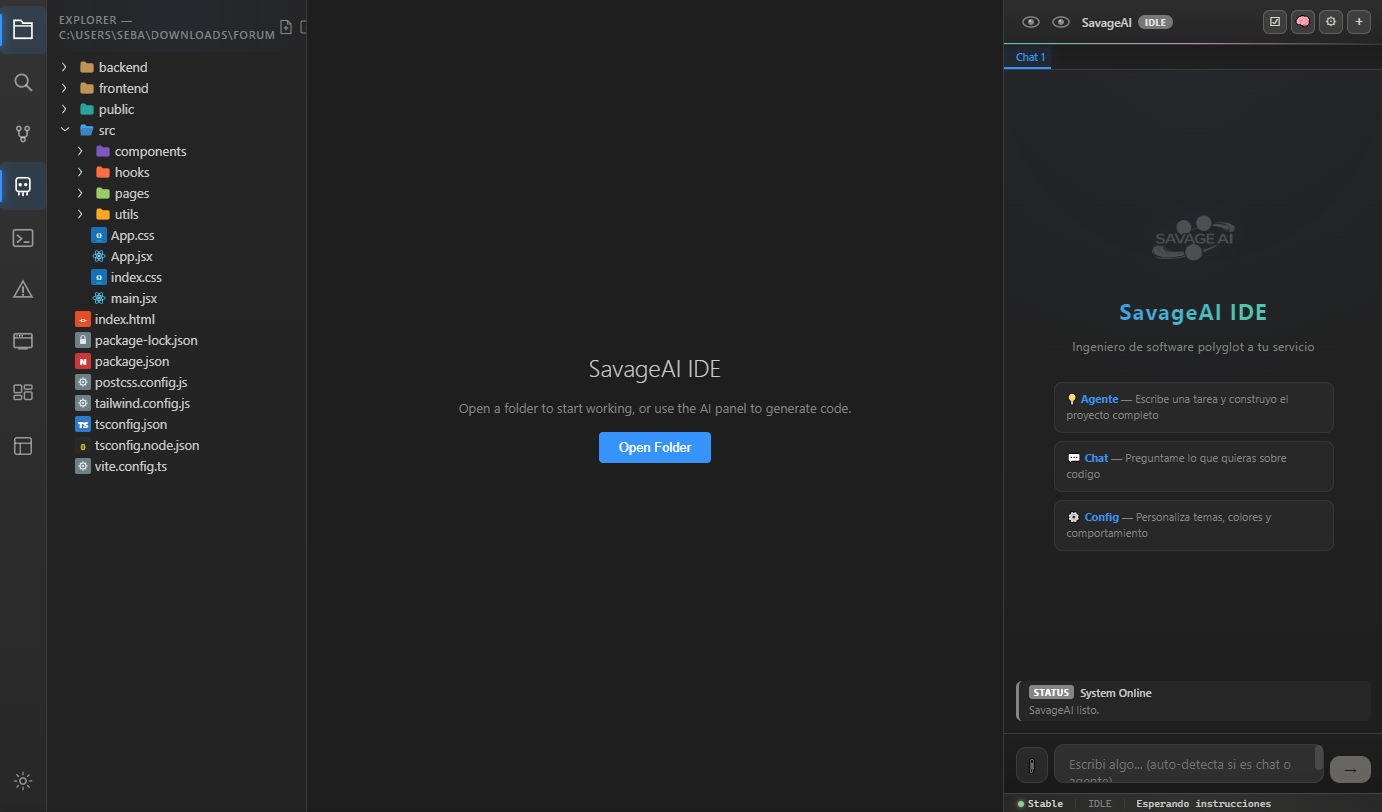
Savage IDE

AI-powered development environment with integrated terminal, Git, live preview, and autonomous coding agents. Your complete engineering cockpit.

Savage IDE Screenshot
Features

Everything You Need

A complete development environment built from scratch.

🤖
AI Coding Agent
Autonomous agent that reads, writes, and refactors code. Uses tools, runs commands, and fixes errors automatically.
💻
Integrated Terminal
Full terminal emulator built-in. Run builds, scripts, and server processes without leaving the IDE.
🔌
Git Integration
Stage, commit, push, pull, and manage branches visually. Full Git workflow without the command line.
🎨
Custom Themes
Multiple built-in themes. Dark, light, and custom color schemes. Personalize your workspace.
Live Preview
Real-time preview for web projects. See changes instantly as you type with hot module replacement.
🛠
Project Templates
Start new projects with pre-configured templates. React, Node, Python, Savage Engine, and more.
Getting Started

Interactive Tutorial

Follow along step-by-step, or ask the AI assistant for help.

STEP 01
Install Savage IDE
Download the installer, run it, and follow the setup wizard. The IDE will configure everything automatically.
STEP 02
Create Your First Project
Click "New Project", choose a template (e.g., React App), and the IDE scaffolds the project with dependencies.
STEP 03
Use the AI Agent
Open the AI panel (Ctrl+Shift+A) and describe what you want to build. The agent reads your code, makes changes, and runs tests.
STEP 04
Preview & Deploy
Use Live Preview to see your app in real-time. When ready, use the built-in terminal to deploy or use the AI agent to handle it.
Savage AI Assistant
Online
Welcome to the Savage IDE tutorial! I'm here to help you get started. Click on any step on the left, or ask me anything about the IDE.
Download

Get Savage IDE

Free for all developers. No subscription required.

💻
Savage IDE
Version 1.0.0 — Free forever
~85 MB
Download Size
Win / Mac / Linux
Platforms
Free
License
Download for Windows
macOS · Linux (.deb) · Linux (.AppImage)